129. Traffic Behavior Watcher
Watcher location: $FTX_PACKAGES/common/scenarios/traffic_behavior_watcher/
Defines the traffic behavior around the Ego in the scenario.
129.1 Traffic Behavior Watcher
This watcher emits an interval when there is no traffic within a time_gap of -2 to 2 seconds or a distance of -4 to 4 meters from the Ego. The interval starts when there are no traffic vehicles around the Ego and ends when any traffic vehicle comes within the allowed threshold range.
The following example shows a watcher that checks if check_only_adjacent_vehicles_value is true. If true, it selects only vehicles adjacent to the Ego; otherwise, it checks all the vehicles present in the traffic around the Ego. Then, we check if the speeds of both vehicle_to_be_inspected and the Ego are greater than 2mps, we measure the time gaps, ensuring that the vehicle remains within the threshold range of the time gap [-2..2] seconds, and then increment the number_of_vehicle_in_range. If the speed of vehicle_to_be_inspected or the Ego is less than 2mps, we measure the distance between the Ego and the vehicle, ensuring the distance within the threshold of [-4..4]m, and then increment the number_of_vehicle_in_range. To emit the start interval, we check the watcher data to be NULL and the number_of_vehicle_in_range is 0. To end the interval, we check whether any vehicle is within the given time gap or distance.
--8<-- Example 1 in "traffic_behavior_watcher_ex.osc"
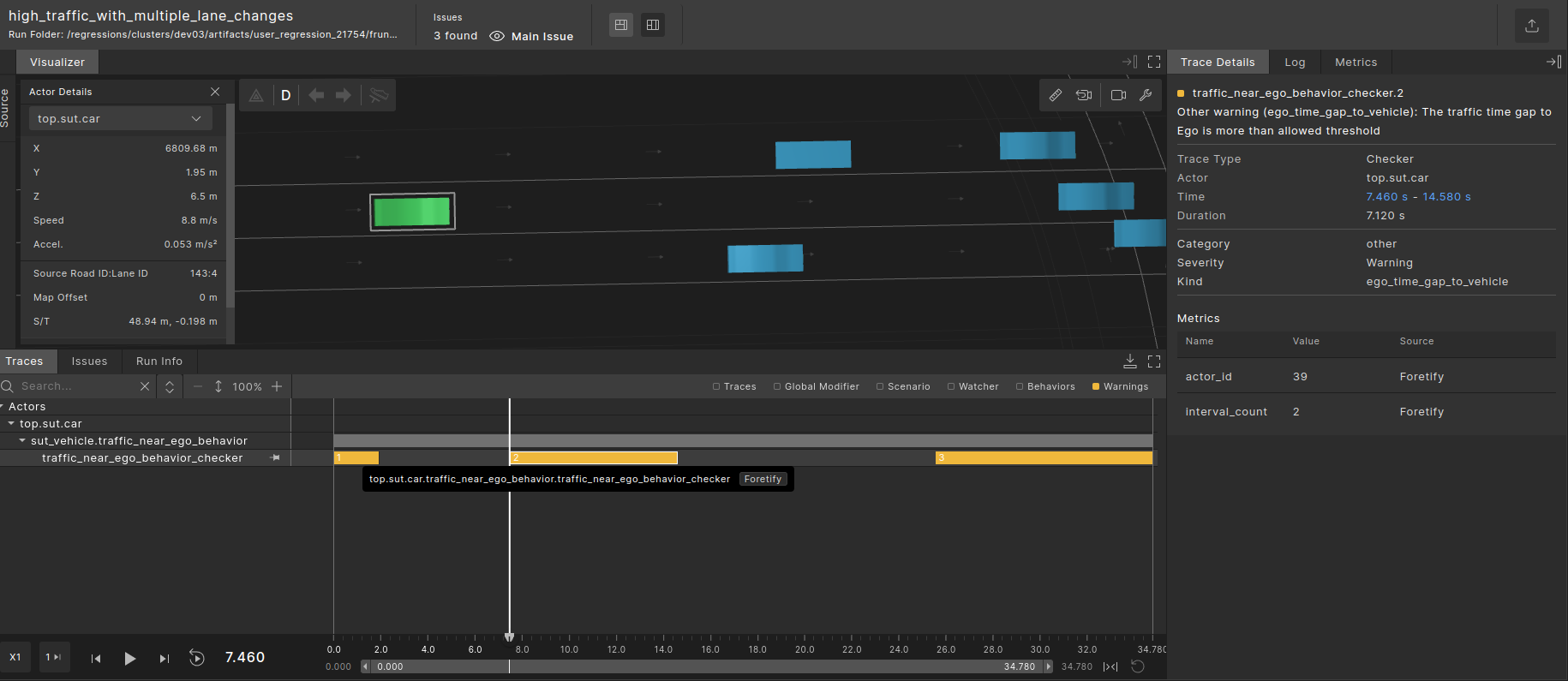
The following image is a visualization of intervals displayed in the Foretify debugger, where the watcher intervals are shown in yellow. This example shows the intervals emitted for the Ego when there is no surrounding traffic.
Start interval: When there are no traffic vehicles around the Ego.
End interval: When any traffic vehicle comes within the allowed threshold range.
129.1.1 KPI
The performance metrics and the data items captured during the test execution are as follows:
| Name/Item | Description | Range | Unit / Type |
|---|---|---|---|
actor_id |
The Unique identification number of the Ego | int | |
interval_count |
The total interval count when traffic is not around the Ego | int |
129.2 Checkers
129.3 1. For traffic on the adjacent lane of the Ego checkers:
- Refer to the code example 1 under checkers given in file traffic_behavior_watcher_ex.osc.
- We set check_only_adjacent_vehicles_value as true so that only traffic which is adjacent to the Ego will be considered.
- The above setting is made for the adjacent_vehicle family and lead_vehicle family scenarios.
129.4 2. For traffic on all lanes around the Ego checkers:
- Refer to the code example 2 under checkers given in file traffic_behavior_watcher_ex.osc.
- We set check_only_adjacent_vehicles_value as false so that the traffic which is on all lanes around the Ego will be considered.
- The above setting is made for the high_traffic family scenario.