387. Adaptive Cruise Control (ACC) Introduction
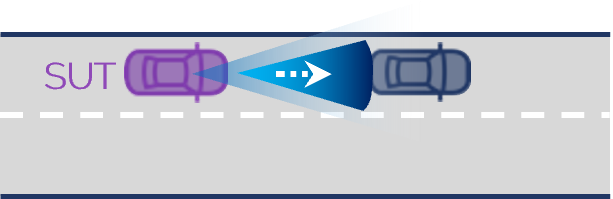
Adaptive Cruise Control (ACC) is an ADAS system which automatically tries to maintain a cruise speed provided by the driver. It automatically adapts the speed to the the vehicle up front (lead vehicle) if it is slower than the set cruise speed. The set of scenarios provided in this package allows to test not only basic ACC functionality but also more advanced capabilities like such as Low-Speed Follow (LSF), traffic jam assistance as well as stop and go assistance. ACC falls into the category of speed assistance systems (SAS). Scenarios for more advanced speed assistance systems that also incorporate road speed limits to adapt cruise speed can be found under Intelligent Speed Assistance (ISA).
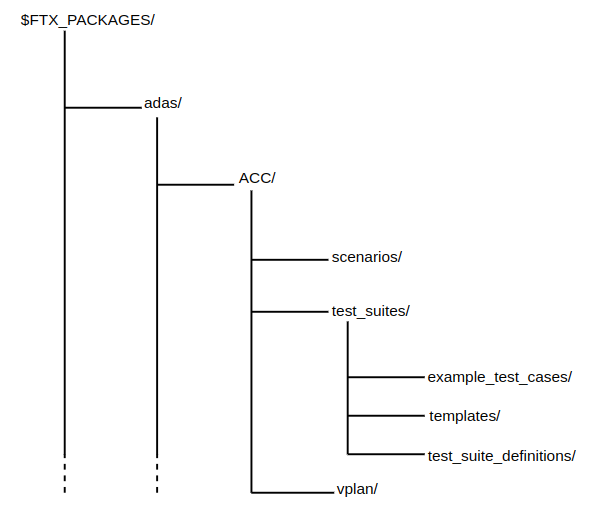
ACC Directory Structure
The Automatic Cruise Control (ACC) V-Suite components are located in $FTX_PACKAGES/adas/ACC as shown in Figure 1.
| Directory/File | Description |
|---|---|
| cpp | A directory containing C++ functions required for integrating user-defined C++ functions with Foretify. |
| csv | A directory containing CSV files for executing ACC tests with Frun. |
| examples | Example test files for running a single test with Foretify. |
| osc | A directory containing the OSC2 source files for each scenario. |
| templates | A directory containing the templates used to generate tests to be executed with Frun. |
| utils | A directory containing shared utilities. |
| vplan | Contains the baseline verification plan for ACC functions. |
To run a single test with Foretify:
-
Invoke Foretify with a test file from the examples directory.
For example:
In this example, the configured simulator is CARLA.$ foretify --load $FTX/packages/adas/ACC/test_suites/example_test_cases/vehicle_cut_in/t_acc_cut_in.osc \ --load $FTX/packages/adas/ACC/scenarios/common/acc_config/acc_carla_config.osc\ --run -
Enter quit at the Foretify> prompt after the run completes.
To run a set of tests with Frun:
-
Invoke Frun in batch mode with all the CSV files required for the set of tests that you chose.
For example:
2. Review the regression results in the default work directory:frun --csv $FTX/packages/adas/ACC/test_suites/test_suite_definitions/vehicle_cut_in/acc_vehicle_cut_in_main.csv \ --csv $FTX_PACKAGES/base_scenarios/test_suites/test_suite_definitions/vehicle_cut_in/vehicle_cut_in.csv\ --csv $FTX/packages/common/csv/uncontrolled_carla_config.csv\ --csv $FTX/packages/common/csv/uncontrolled_sumo_config.csv\ --csv $FTX/packages/adas/ACC/test_suites/test_suite_definitions/common/acc_activate.csv --batch~/foretify/sessions/<timestamp>/<timestamp>/
To run all the ACC tests at once:
frun --file $FTX/packages/adas/ACC/test_suites/test_suite_definitions/all_acc.txt
The all_acc.txt file runs the following tests:
- acc_activate.csv
- acc_lead_vehicle_main.csv
- acc_lead_vehicle.csv
- acc_ego_approach_congestion_main.csv
- acc_ego_approach_congestion.csv
- acc_ego_cut_out_main.csv
- acc_ego_drive_main.csv
- acc_ego_drive_to_traffic_main.csv
- acc_ego_drive.csv
- acc_vehicle_cut_in_main.csv
- acc_vehicle_cut_in_with_lead_vehicle_main.csv
- acc_vehicle_cut_out_main.csv