59. Defining rules for Matching Status Rules
Foretify Manager triage enables comparison calculations between two test suite results (TSRs).
The result of the comparison process is written to the Matching Status attribute.
After selecting two TSRs for comparison and successfully completing the process, the runs table is displayed in the current triage view with the Matching Status value calculated for each run.
The possible values for Matching Status are:
- Not Compared
- New
- Same
- Different
To determine the Matching Status value for two given runs, you must provide the following configuration:
- A list of attributes to determine whether it is the same run.
- If the run is the same, a list of attributes to determine if they ended with the same result.
The configuration is saved at the workspace level and applies to all triage comparison calculations within that workspace.
This configuration is available in the Foretify Manager UI under Triage > Configuration > Matching Status Rules.
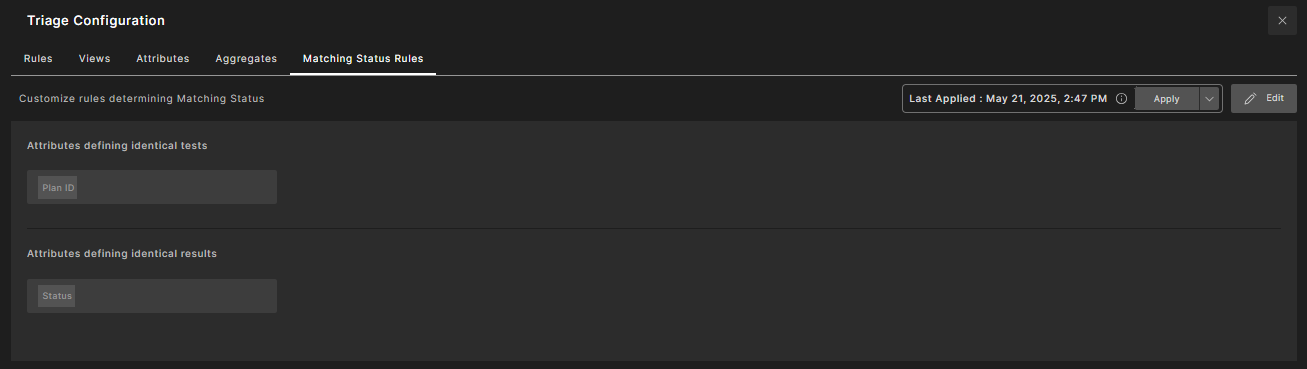
Run similarity is best determined using the following attributes from the Foretify run data:
- Plan ID – Uniquely identifies the test's plan objectives, generated by the planner.
- Plan Input ID – Uniquely identifies the input fields and constraints of the test, provided to the generator.
- Test Plan Index – Identifies the index of the test in the frun table (if used).