441. Intelligent Speed Assistance (ISA) introduction
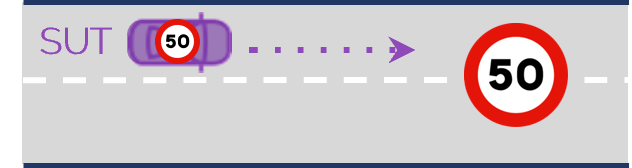
Intelligent Speed Assistance (ISA) systems enhance speed assistance systems like Adaptive Cruise Control (ACC) with information about current applicable speed limits. ISA and ACC fall into the category of speed assistance systems (SAS). The V-Suite contains scenarios related to three functions:
- Speed Limiter Function (SLF) prevents the vehicle from driving above the set speed limit, even if the driver continues to press the gas pedal.
- Speed Limit Information Function (SLIF) informs driver about the current speed limit and alerts when the vehicle is traveling faster than the current maximum legal speed. Combined with SLF the speed limit will be automatically adjusted to the road speed limit if this is lower than the speed setting from the driver.
- Intelligent Adaptive Cruise Control (iACC) automatically adapts the vehicle's speed to a slower vehicle ahead of the ego, the current road speed limit or the cruise speed set by the driver, depending on which of these is the current lowest applicable speed.
ISA Directory Structure
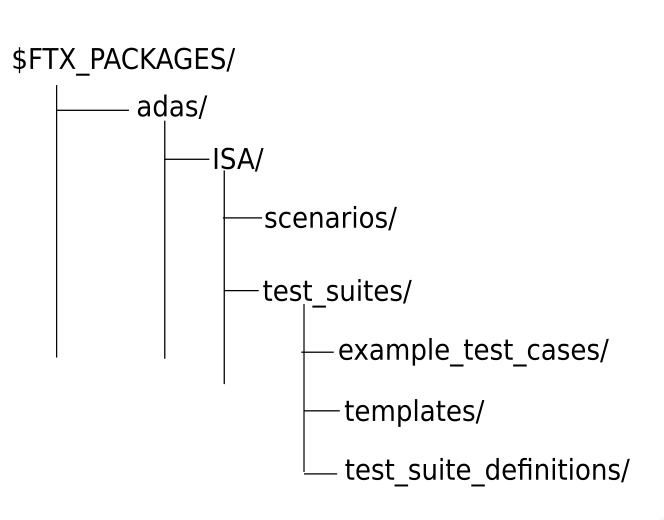
The Intelligent Speed Assist (ISA) V-Suite components are located in $FTX_PACKAGES/adas/ISA as shown in Figure 1.
| Directory/File | Description |
|---|---|
| cpp | A directory containing C++ functions required for integrating user-defined C++ functions with Foretify. |
| csv | A directory containing CSV files for executing ISA tests with Frun. |
| examples | Example test files for running a single test with Foretify. |
| osc | A directory containing the OSC2 source files for each scenario. |
| templates | A directory containing the templates used to generate tests to be executed with Frun. |
| utils | A directory containing files required for integrating user-defined C++ functions with Foretify. |
To run a single test with Foretify:
-
Invoke Foretify with a test file from the examples directory.
For example:
In this example, the configured simulator is CARLA.$ foretify --load $FTX/packages/adas/ISA/test_suites/example_test_cases/free_drive/t_slf_ego_on_road_with_speed_sign.osc \ --load $FTX/packages/adas/ISA//scenarios/common/isa_config/isa_config.osc \ --load $FTX/packages/adas/ISA//scenarios/common/isa_config/isa_carla_config.osc --run -
Enter quit at the Foretify> prompt after the run completes.
To run a set of tests with Frun:
-
Invoke FRun in batch mode with all the CSV files required for the set of tests that you chose.
For example:
2. Review the regression results in the default work directory:frun --csv $FTX/packages/adas/ISA/test_suites/test_suite_definitions/free_drive/slf_ego_on_road_with_speed_sign_main.csv \ --csv $FTX/packages/adas/ISA/test_suites/test_suite_definitions/free_drive/slf_ego_on_road_with_speed_sign.csv \ --csv $FTX_PACKAGES/common/csv/map_config.csv \ --csv $FTX_PACKAGES/common/csv/sim_manually_driven_dynamic_config.csv \ --csv $FTX_PACKAGES/adas/ISA/test_suites/test_suite_definitions/user_isa_config.csv --batch~/foretify/sessions/<timestamp>/<timestamp>/
To run all the ISA tests at once:
```bash
frun --file $FTX/packages/adas/ISA/test_suites/test_suite_definitions/all_isa.txt
```
The all_isa.txt file runs the following scenarios:
- slif_ego_on_road_with_speed_sign.csv
- slif_ego_on_road_with_speed_sign.csv
- slf_and_slif_ego_on_curved_road_with_speed_sign.csv
- slif_ego_increasing_its_speed_to_road_speed_limit.csv
- slf_slif_ego_on_road_with_increasing_speed_limit.csv
- slf_and_slif_ego_on_road_with_decreasing_speed_limit.csv
- iacc_ego_with_lead_vehicle_on_road_with_speed_sign.csv