48. Workspace introduction
A workspace is a persistent context for analyzing both the run issues and the metrics for selected test suite executions. A workspace lets you analyze test suite results over time. Where a project is the container for the data, the workspace defines how to interpret the data. Workspaces can be shared, allowing teams of test engineers to manage the incremental Verification & Validation (V&V) process where test definitions and SUT features constantly increase in quantity and complexity. In this process, test engineers evolve their interpretation and analysis to accommodate new definitions and features. Foretify Manager workspaces reflect this process, letting teams improve their V&V definitions and apply the new definitions to new test suites viewed through the perspective of the shared workspace. The workspace serves as a single source of truth that test engineers can present to stakeholders.
48.1 View a workspace
As shown in Figure 1, a workspace shows the overall coverage grade (VGrade) for the test suite, the number of runs executed and so on.
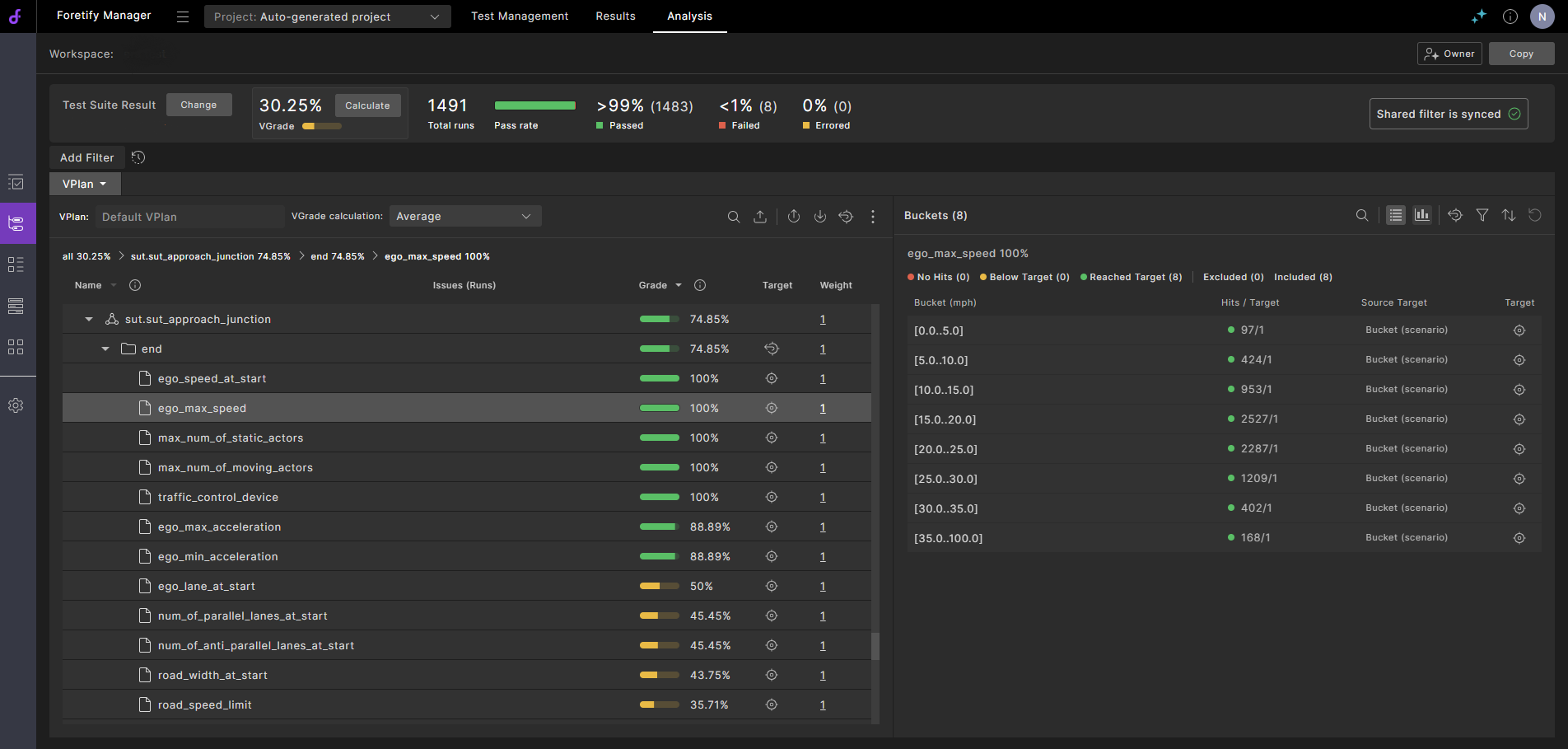
The workspace has the following:
- The VPlan tab displays the coverage and performance metrics captured in the selected test suite results.
- The Test Suite Results section displays the test suites that have been added to the workspace. To access the Test Suite Results section, click the Test Suite Results icon in the sidebar on the left.
- The Runs section is the same as the Runs window and lets you analyze run issues that relate to the selected test suite results. To access the Runs section, click the Runs icon in the sidebar on the left.
- The Comparison tab, initially empty, compares the results of two selected test suites.
To create a workspace, you specify a capture rule, which lets you match test suites that are then added to your workspace. Once you set up a capture rule, every test suite result that is uploaded to the project is matched against the rule. A test suite is automatically added to the workspace if there is a match. There is no limit to the number of test suite results you can add to a workspace.
By default, when you create a workspace, all users in the workspace's project have Viewer access to the workspace. You can update workspace permissions to provide varying levels of access to users and groups.
Users with access to the workspace share the following:
- The workspace
- The workspace's capture rule
- Annotation results
- Triage decisions
- VPlan settings
- Synchronization to requirements
The following settings are not shared:
- Run filters and filter history. However, you can create a local filter and publish it to make it available to all users of the workspace.
- Ranked runs
- Comparisons