35. Debugging a run in Foretify Manager
When debugging test executions in Foretify Manager, users can leverage several tools to identify the cause of unexpected behavior. By reviewing configuration settings, verifying scenario inputs, and analyzing execution parameters, they can efficiently diagnose issues and validate data accuracy.
35.1 Run Summary
The Run Summary tab provides an overview of the test run, including unique run identifiers, configuration details, and associated metadata. It highlights traceability elements such as original source run IDs, object list locations, and Smart Replay settings to help users understand the scenario context and evaluate results effectively.
Note
The displayed sections vary depending on the run type and origin.
To view the Run Summary tab, click Run Summary within the test run.
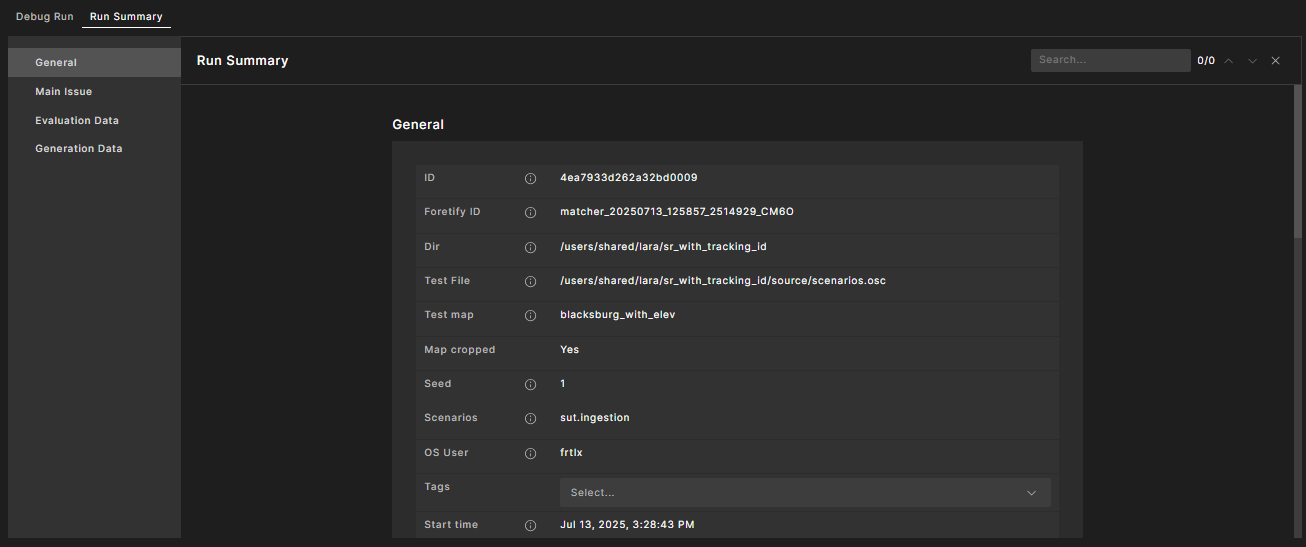
The Run Summary tab organizes key details into sections, each focused on a specific aspect of the test run. The tables in these sections describe each field to support analysis of the run’s configuration, origin, and execution.
Use this data to troubleshoot unexpected behavior, verify configuration integrity, or trace back to earlier runs.
35.1.1 General Data
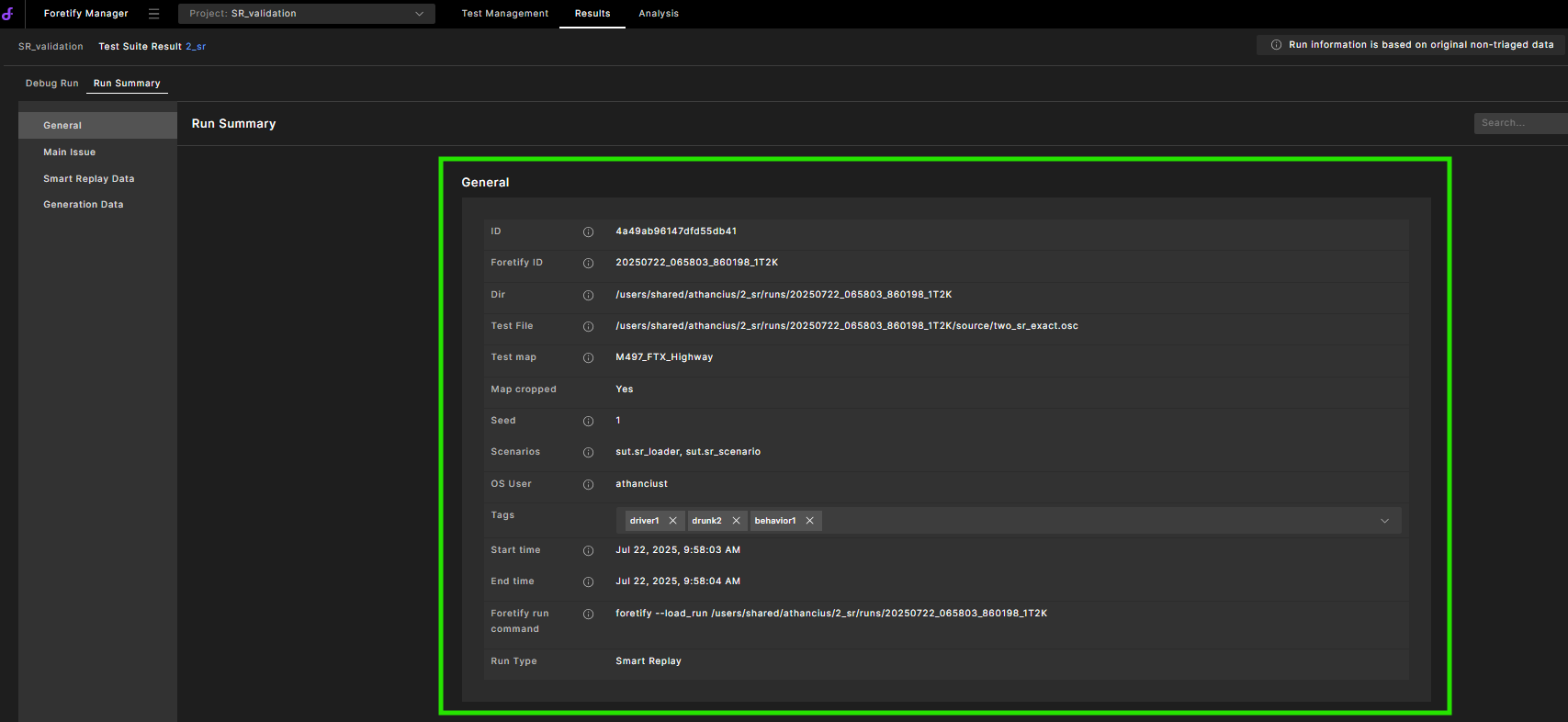
| Field | Description |
|---|---|
| ID | The Globally Unique Identifier of the current run in the Foretify Manager database. |
| Foretify ID | The Globally Unique Identifier of the current run. |
| Dir | The original folder that contains the run results. |
| Test File | The main OSC file used for the run result. |
| Test Map | The name of the map used during the test. |
| Map Cropped | Yes or No, depending on whether the map was cropped. |
| Seed | The seed used for random test generation. |
| Scenarios | A list of top-level scenario names. |
| OS User | The name of the OS user who created the test. |
| Tags | A dropdown menu of relevant tags to filter the display. |
| Start Time | The time the test started, in UTC Epoch time. |
| End Time | The time the test ended, in UTC Epoch time. |
| Foretify Run Command | The command used to run Foretify. |
| Run Type | The type of run (e.g., Smart Replay). |
35.1.2 Main Issue
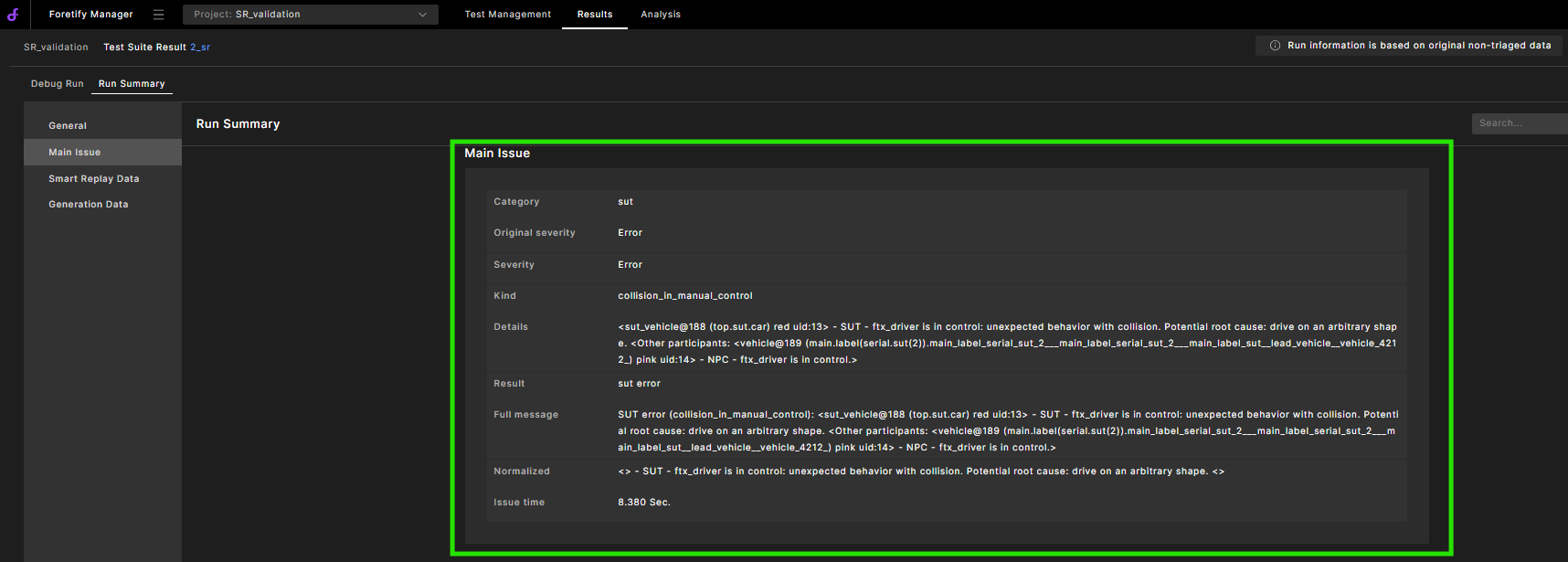
This section contains details of the issue.
35.1.3 Smart Replay data
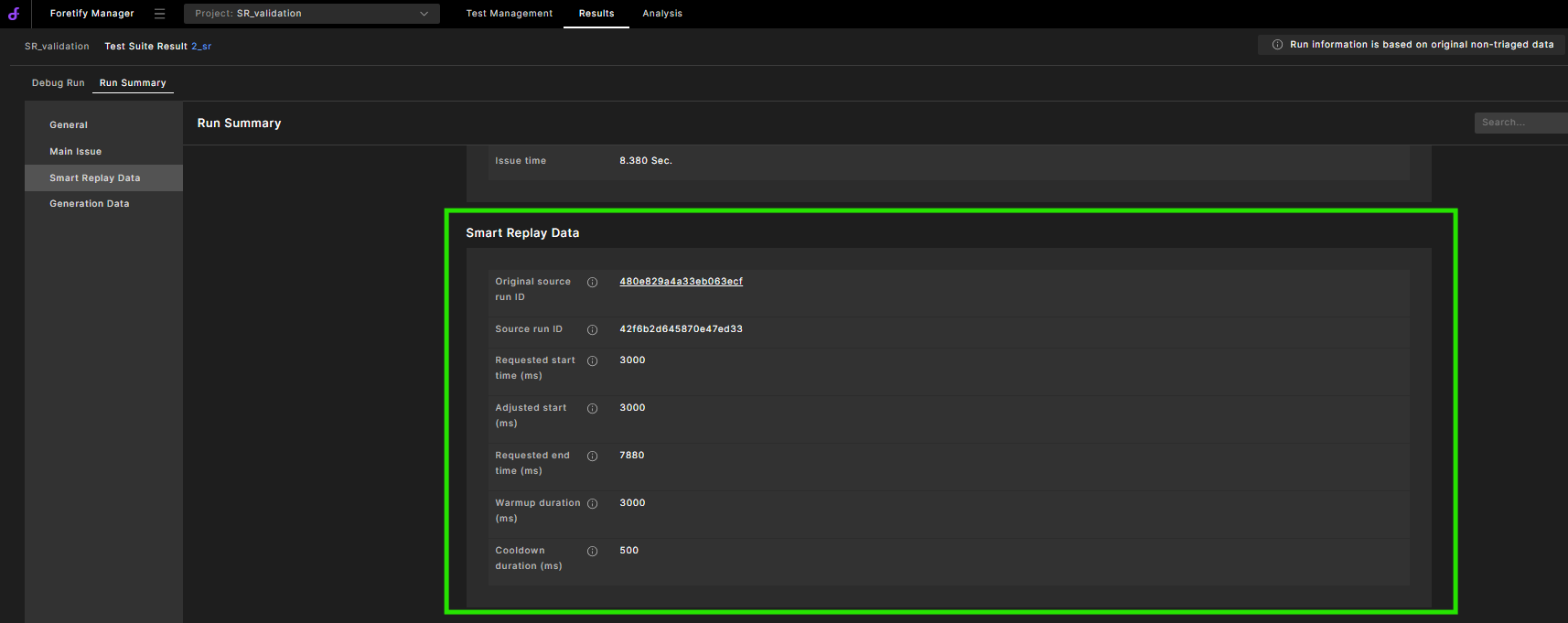
| Field | Description |
|---|---|
| Original Source Run ID | The ID assigned to data when it is first ingested into Fortify Manager. This ID never changes, signifying the authenticity and origin of that specific data. |
| Source Run ID | The current ID for a dataset within Foretify Manager. It represents the version of data currently being replayed. After each modification and upload, the Source Run ID may be updated to reflect the new data state. |
| Requested Start Time (ms) | The requested start time in milliseconds. |
| Adjusted Start (ms) | The adjusted start time in milliseconds. The start time may be modified due to warmup limitations or SIM sync. |
| Requested End Time (ms) | The requested end time in milliseconds. |
| Warmup Duration (ms) | The warmup time in milliseconds added before the adjusted start time. |
| Cooldown Duration (ms) | The cooldown time in milliseconds added after the requested end time. |
35.1.4 Generation data
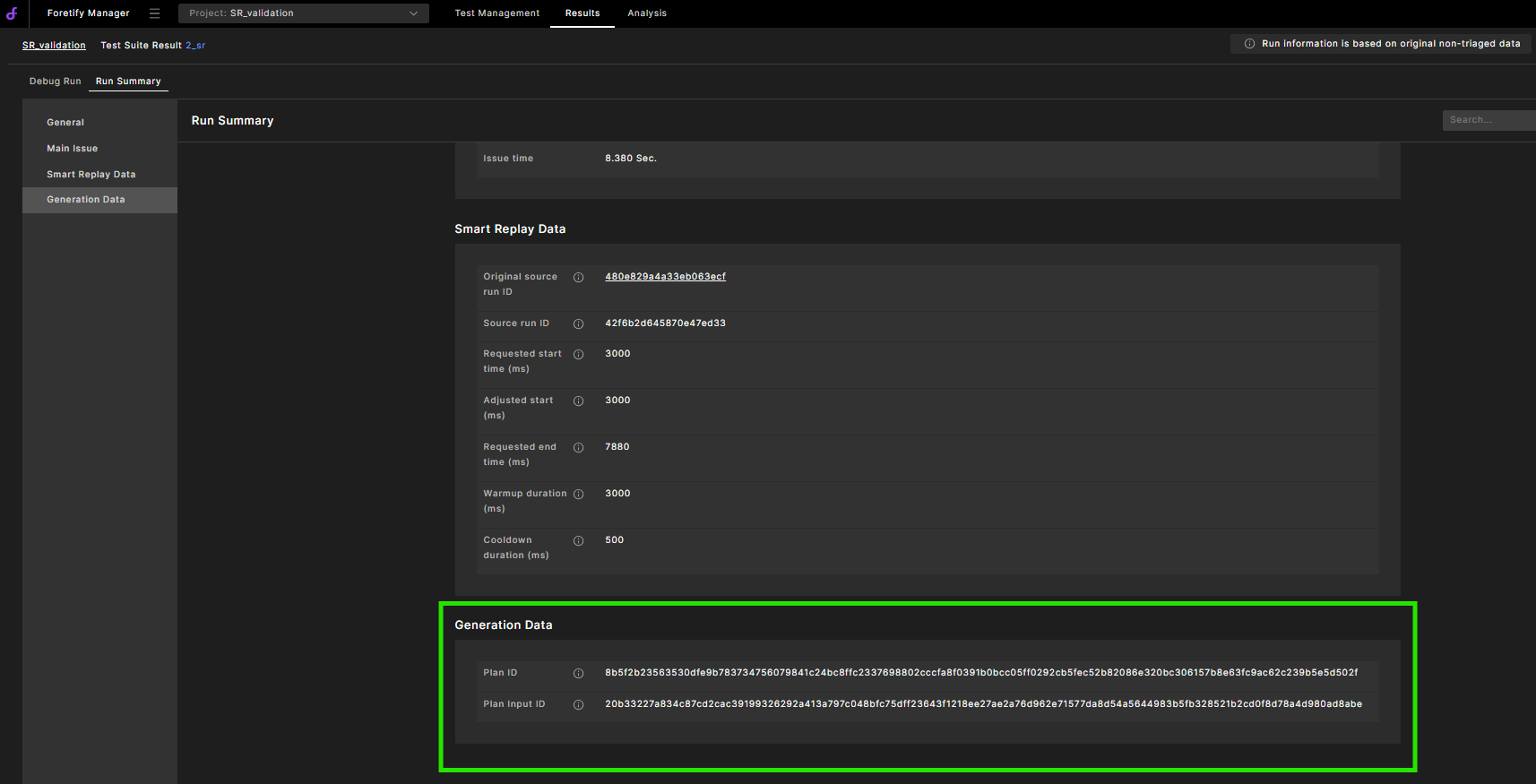
| Field | Description |
|---|---|
| Plan ID | The checksum of generator output |
| Plan Input ID | The checksum of generator input |